Skip to content
Claim Up To 55% Off

4 Hinged Flat-Blade Antennas · Simultaneous 2.4 & 5 GHz · Bottom RJ45 Port

WiBoost X

Interior masonry, stairwells, and ductwork weaken wireless signals long before they reach upstairs desks or driveway cameras. WiBoost X plugs into a midway hallway socket to relay your router’s dual-band coverage into stubborn low-bar rooms.

Claim Up To 55% Off — View Packages

From $43.32 per unit −55%

4.7/5Verified household reports

  • Four external hinged blades direct wireless signal across floors and corridors
  • Concurrent 5 GHz (867 Mbps max) + 2.4 GHz (300 Mbps max) AC1200 radios
  • Links in minutes using front WPS button or app-free mobile browser page
  • Underside RJ45 network port + country-matched prongs for 5 regions
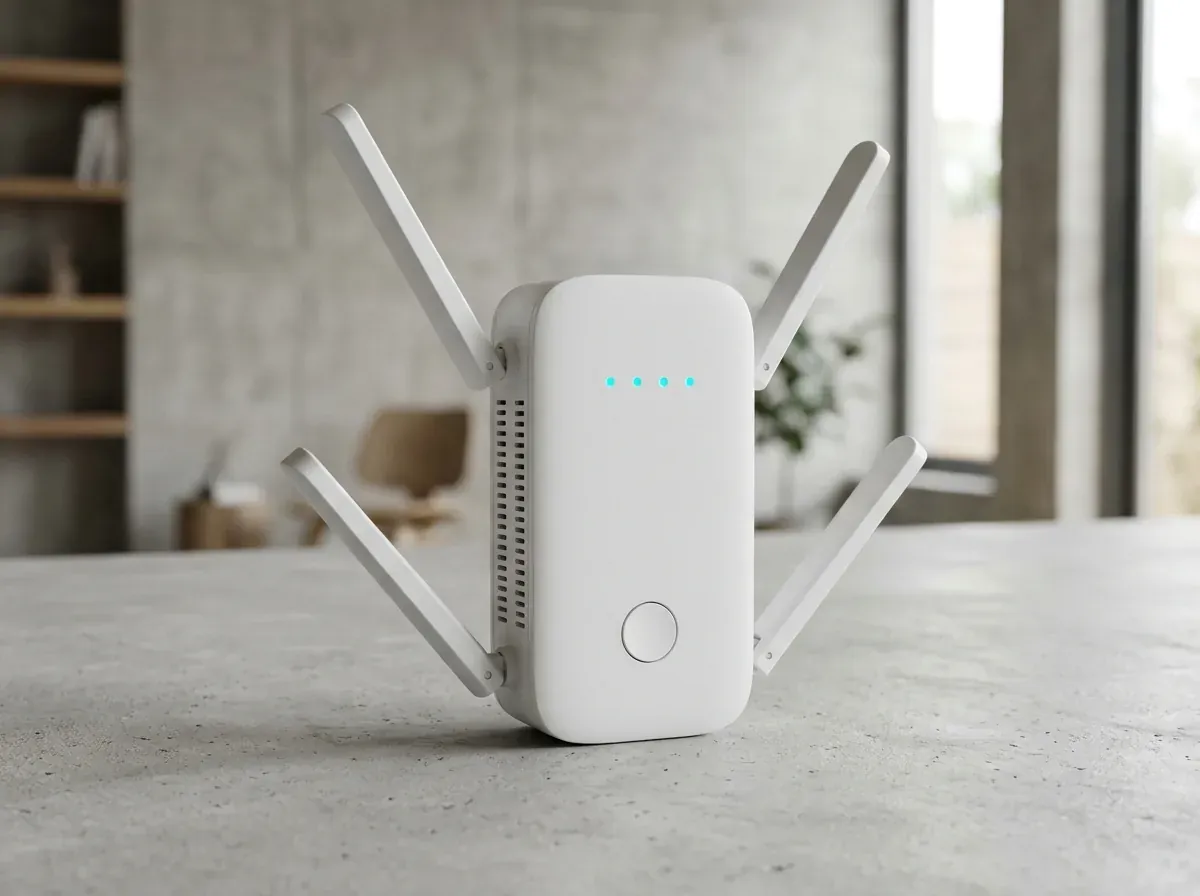
Architectural studio photograph of the matte-white WiBoost X plug-in range extender with 4 hinged white flat-blade antennas, 4 cyan LED pinholes, and centered push button
Fig. 1 Architectural studio photograph of the matte-white WiBoost X plug-in range extender with 4 hinged white flat-blade antennas, 4 cyan LED pinholes, and centered push button
Articulated external gain
4 Blades
AC1200 dual-band radios
2.4 + 5 GHz
Wired bridge or AP drop
RJ45 Port
Satisfaction return window
30 Days

01Overview

Solving Room-to-Room Signal Drop Without Monthly ISP Fees

Strategic Midpoint Relay Versus Overpriced Broadband Upgrades

Broadband installers nearly always terminate fiber or cable lines in a front corner or basement utility room. Every lath-and-plaster partition, tiled bath, water heater, and floor joist between that gateway and a back bedroom strips away signal strength—leaving video calls stuttering even on fast internet tiers.

WiBoost X bridges those interior dead zones with zero wall wiring and zero recurring pod rental charges. While no range extender increases the base speed coming from your ISP street line, placing WiBoost X at a strong midpoint outlet pushes dependable 2.4 GHz and 5 GHz reach into rooms your lone router missed.

  • Restores steady reception in spare-bedroom offices, basements, garages, and patios
  • Compatible with standard IEEE 802.11ac/a/b/g/n routers and fiber/cable gateways
  • Four front cyan LED pinholes confirm optimal halfway outlet placement immediately
  • Underside RJ45 port hardwires a desktop PC, smart TV, printer, or console
  • Country-matched AC prongs and local currency checkouts for US, UK, AU, DE & AT
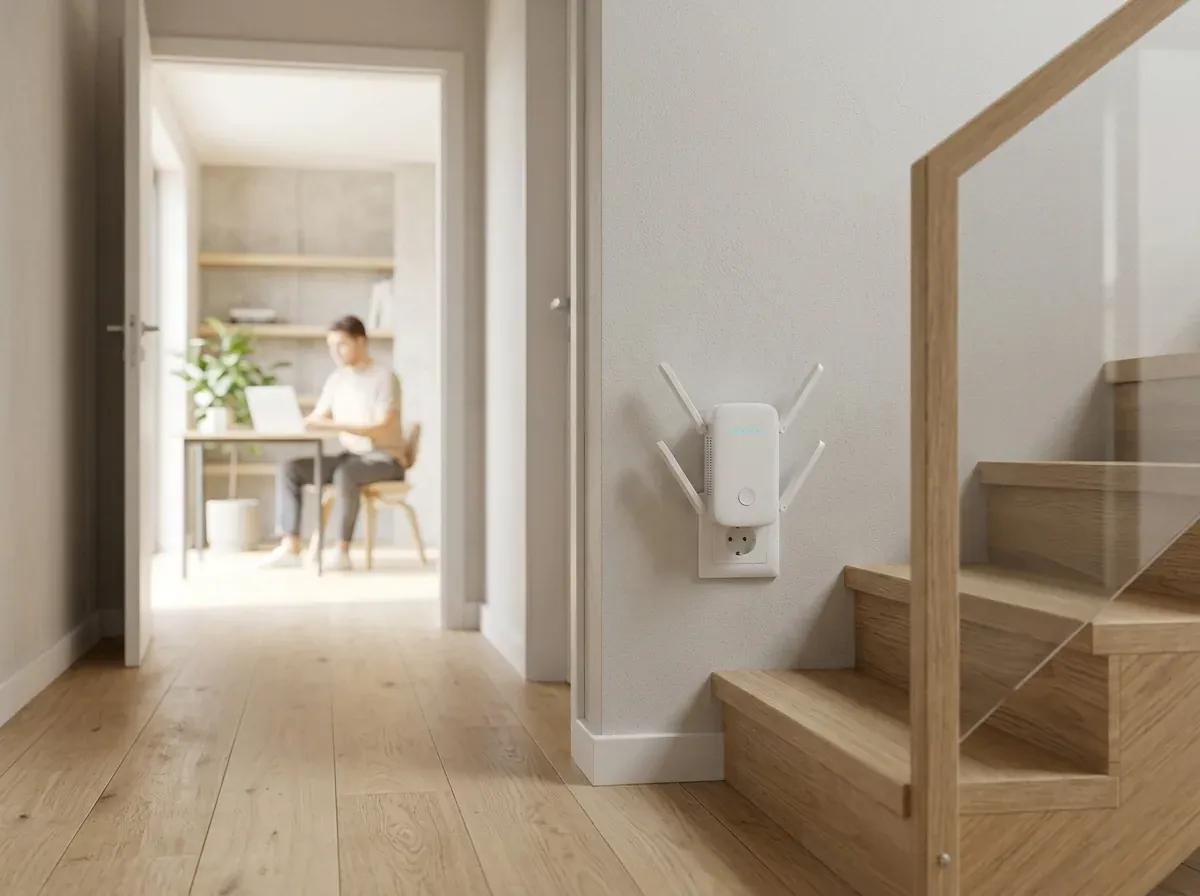
Matte-white 4-antenna WiBoost X extender plugged neatly into a modern hallway wall socket near wooden stairs while a remote worker uses a laptop in a bright study
Fig. 2 Positioned halfway between your broadband router and a weak corner, WiBoost X captures a clean link and relays usable signal forward.

02How it works

Three Engineering Components Driving Reliable Coverage

External spatial antennas, split-band radio handling, and cable-free outlet mounting.

  1. 01

    Four Articulated External Flat-Blade Antennas

    Thumb-sized plug blocks hide tiny printed-circuit antennas millimetres away from live electrical wiring inside the wall box, severely limiting both upstream router pickup and room-to-room broadcast. WiBoost X mounts four hinged external flat-blade antennas along its upper and lower flanks so you can angle elements vertically toward second-story bedrooms or horizontally down long ranch corridors. Greater physical antenna separation improves spatial signal stability when multiple household laptops, smart TVs, tablets, and outdoor security cameras transmit across your home simultaneously. Pivoting each flat white blade takes seconds and requires zero tools, cradles, or loose desk stands.

  2. 02

    Simultaneous 2.4 GHz Reach & 5 GHz Throughput

    Perimeter smart doorbells and 4K living-room televisions ask very different things from home wireless networks. WiBoost X operates both radio bands concurrently up to AC1200-class combined link rates: a long-wavelength 2.4 GHz radio (up to 300 Mbps) that pushes reliably through solid interior doors and masonry toward garage sensors and patio speakers, paired with a wide-channel 5 GHz radio (up to 867 Mbps) delivering crisp, low-interference bandwidth for nearby video calls, cloud backups, and HD streaming—all protected under WPA/WPA2 encryption. Keeping slow smart-home sensors on 2.4 GHz leaves the faster 5 GHz lane open for work and media.

  3. 03

    One-Button WPS Handshake & RJ45 Ethernet Bridge

    Getting online requires zero technician appointments, zero wall drilling, and zero mandatory cloud subscriptions. Plug WiBoost X into a wall socket, tap WPS on your router followed by the centered circular front button—or use the clean two-minute browser setup wizard from any smartphone or laptop if your ISP hub omits a physical WPS button. Along the bottom edge, an integrated RJ45 Ethernet port either feeds wired stability straight into a stationary desktop PC or turns an existing LAN cable into a fresh dual-band Access Point across any floor.

03In use

Architectural Restraint Meets Multi-Floor Networking Utility

Quiet Passive Cooling and Flexible Wired-or-Wireless Deployment

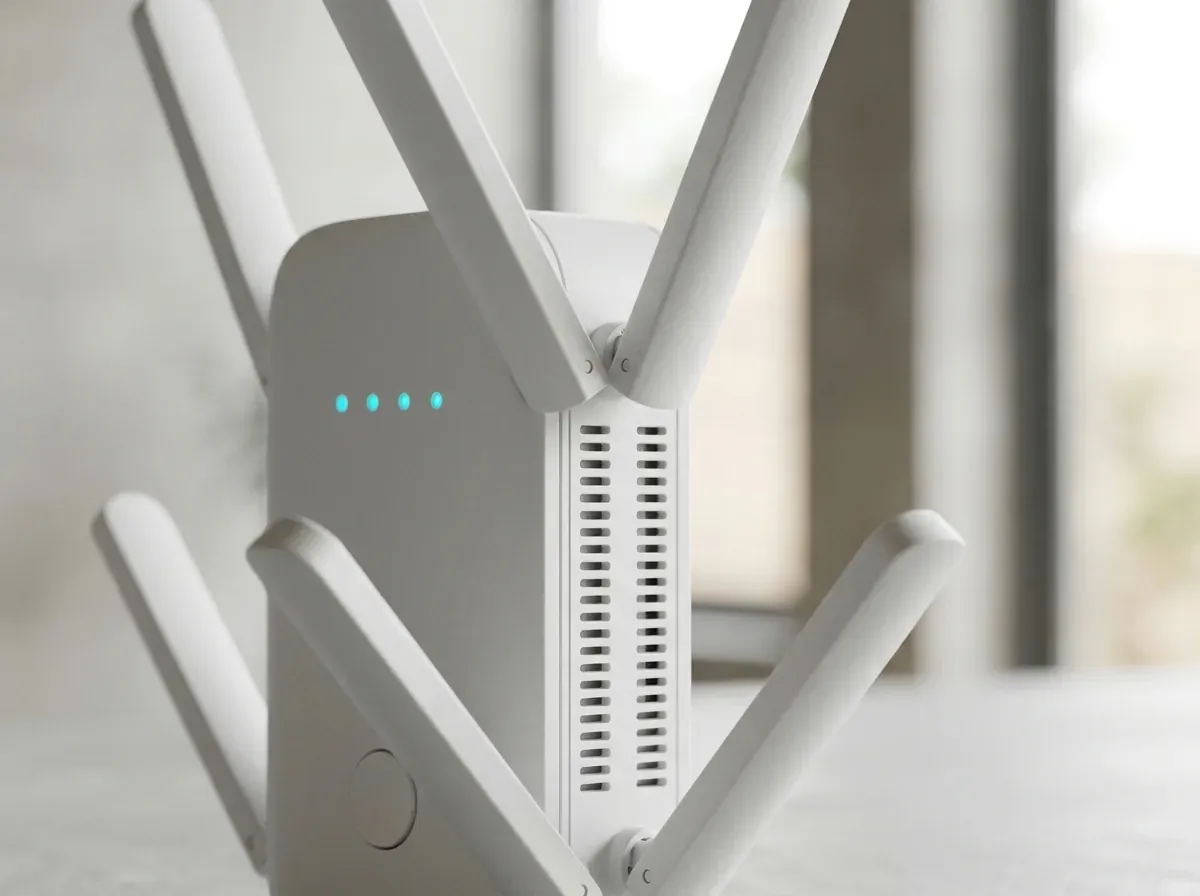
Macro studio close-up of the matte-white WiBoost X unit highlighting its hinged flat-blade antennas, side thermal vents, 4 glowing cyan LED pinholes, and centered circular button
Fig. 3 Macro studio close-up of the matte-white WiBoost X unit highlighting its hinged flat-blade antennas, side thermal vents, 4 glowing cyan LED pinholes, and centered circular button

PASSIVE THERMAL & LED DESIGN

Discreet Hallway Profile That Guides Proper Midpoint Placement

Networking hardware plugged into an open hallway, stairwell landing, or kitchen corridor stays visible every single day, so dangling black power bricks and blinding neon light bars quickly become an eyesore. WiBoost X integrates its universal power supply cleanly inside a compact matte-white wall-plug enclosure vented along recessed side slots for silent, fanless 24/7 operation across every season. Its direct wall-plug footprint leaves adjacent floor space completely clear of tangled cords, dusty bricks, and hallway clutter.

Four subtle cyan pinhole LEDs arranged across the upper front face take all the guesswork out of halfway outlet selection. Instead of accidentally plugging the repeater inside a far zero-bar corner where almost no clean router signal remains left to relay, a single glance at the front status indicators confirms whether your chosen hallway socket maintains a healthy upstream connection back to your primary broadband gateway—ensuring distant bedrooms and garages receive responsive wireless performance. Once paired, internal memory retains your home network credentials automatically even after brief neighborhood power flickers.

Note Fanless side-vented housing · 4 cyan status pinholes · Tactile centered WPS pairing button
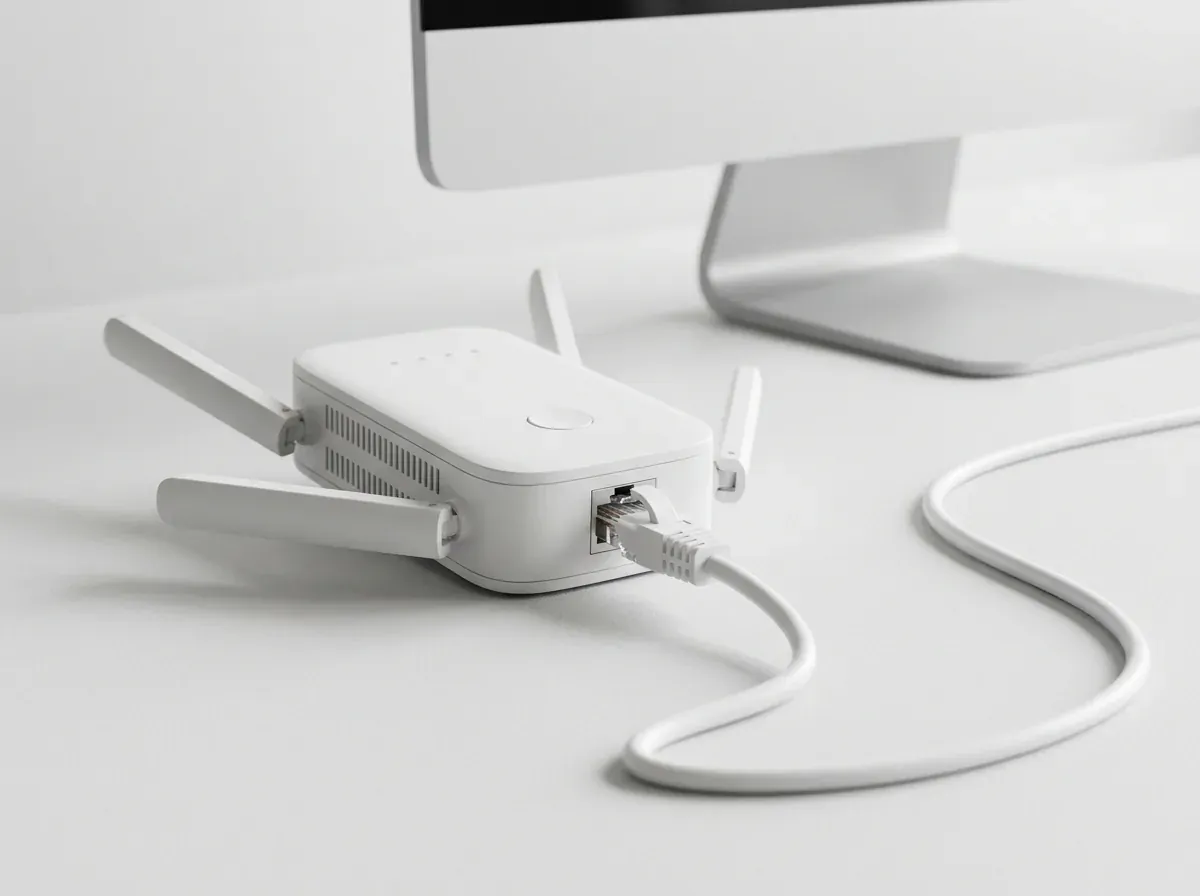
Profile studio view on a clean white desk showing a white RJ45 Ethernet patch cord clicked into the bottom port of the 4-antenna WiBoost X unit beside a monitor stand
Fig. 4 Profile studio view on a clean white desk showing a white RJ45 Ethernet patch cord clicked into the bottom port of the 4-antenna WiBoost X unit beside a monitor stand

DUAL-DIRECTION ETHERNET PORT

Hardwire a Desk Workstation or Broadcast From a Wall Jack

Stationary desktop towers, network laser printers, older smart TVs, media streamers, and home-office VoIP desk phones often perform far more predictably over a physical Ethernet patch cord, yet snaking fifty-foot cables across carpets, door frames, and staircases is unsightly and impractical inside finished homes or rented flats. Having a physical RJ45 port built straight into the bottom edge bridges that gap cleanly in seconds without drilling walls.

The underside RJ45 port built into WiBoost X works seamlessly in either direction using the included patch cable: in Repeater / Bridge mode, it captures your home Wi-Fi wirelessly and hands a steady wired Ethernet drop straight to a nearby desk or entertainment stand; in Access Point mode, plugging a wired LAN run from a basement switch or detached studio into WiBoost X broadcasts a fresh 2.4 GHz and 5 GHz wireless zone right where you work. Every regional order supplies country-matched wall prongs for North America, Britain, Australia, Germany, or Austria right out of the box.

Note Underside RJ45 LAN/WAN jack · Repeater & Access Point modes · Regional plugs for US, UK, AU, DE & AT

04Specification

WiBoost X Hardware & Checkout Specifications

Confirmed radio bands, standards, port layout, regional currencies, and retailer terms.

Hardware TitleWiBoost X Dual-Band Wireless Range Extender
External Antennas4 Articulated Hinged Omnidirectional Flat-Blade Antennas
Radio FrequenciesConcurrent Dual-Band 2.4 GHz + 5 GHz Operation
Maximum Link Rates867 Mbps on 5 GHz + 300 Mbps on 2.4 GHz (AC1200 Combined Class)
Supported StandardsUniversal 802.11ac, 802.11n, 802.11g, 802.11b & 802.11a Gateways
Supported RolesWireless Repeater / Range Extender & Wired Access Point / Bridge
Ethernet Interface1× Underside RJ45 LAN/WAN Port
Setup OptionsOne-Touch WPS Push Button or App-Free Web Browser Wizard
Encryption SupportWPA-PSK / WPA2-PSK Wireless Security
Single-Unit Portals€54.95 (DE/AT) · £49.95 (UK) · AU$79.95 (AU) · $49.95 (US)
Fulfilling SellerStraight Commerce Inc. (New York, NY) · help@spark-tek.co
Return Window30-Day Satisfaction Return Policy

05In the box

Everything Supplied Inside Your WiBoost X Parcel

Direct wall-plug hardware with zero messy external power bricks.

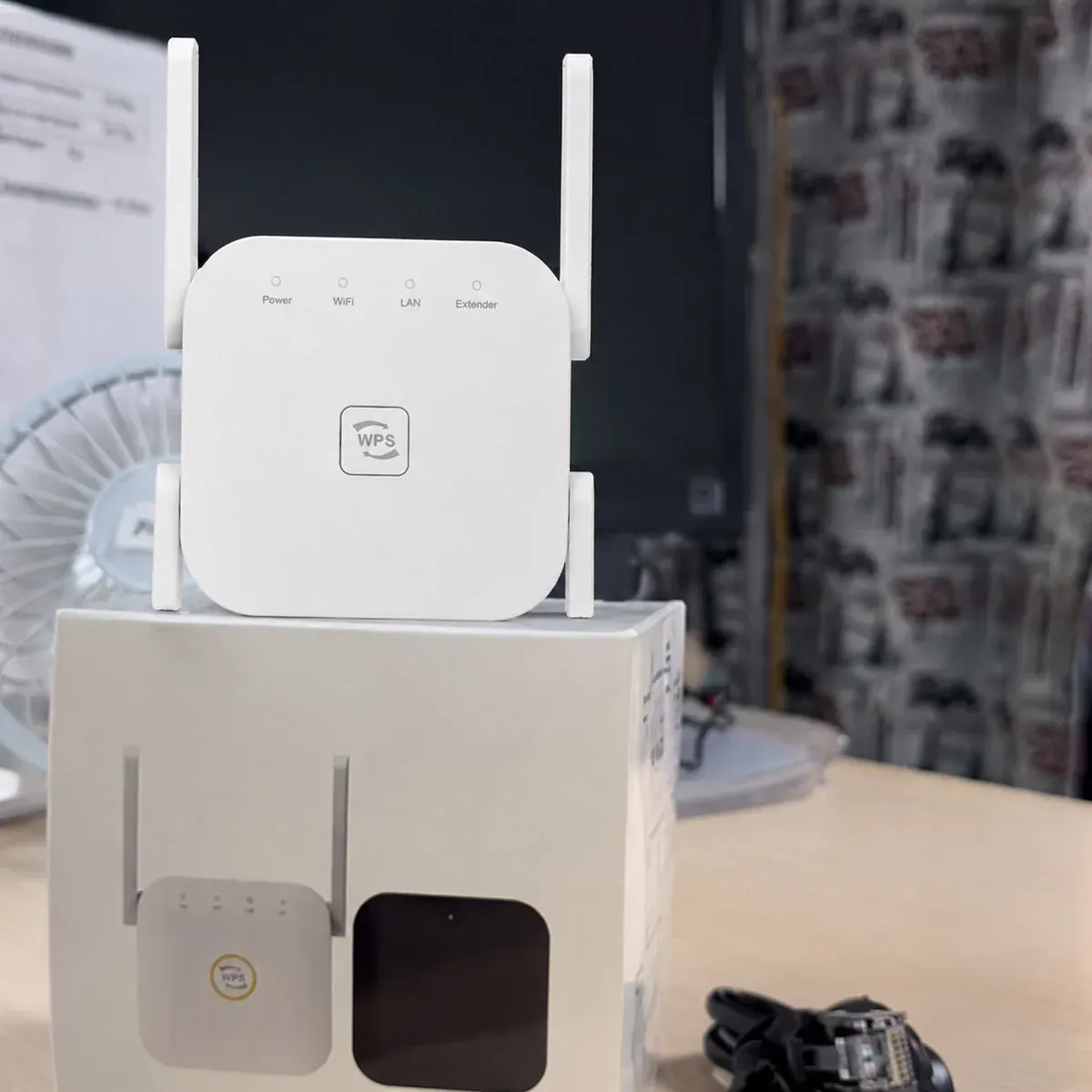
Overhead studio flat-lay showing the matte-white 4-antenna WiBoost X plug-in unit resting atop its retail carton
Fig. 5 Overhead studio flat-lay showing the matte-white 4-antenna WiBoost X plug-in unit resting atop its retail carton
  • 01 · Main Hardware

    WiBoost X 4-Antenna Plug-In Unit

    Compact matte-white dual-band wireless extender equipped with four hinged flat-blade antennas and region-matched wall prongs.

  • 02 · Network Cord

    RJ45 Ethernet Patch Lead

    Included network cable for optional wired Access Point hookup or linking a stationary desktop PC, TV, or game console.

  • 03 · Setup Card

    Quick Pairing & Placement Card

    Clear step-by-step instructions covering WPS button pairing, browser setup, and midpoint outlet selection.

06Setup

Four Steps to Clean Dead-Zone Coverage

Halfway placement—where router signal is still strong—delivers the best speed.

  1. Step 01

    Plug In Near Your Router First

    Insert WiBoost X into a wall socket in the same room as your router for quick initial pairing until the status LED settles.

  2. Step 02

    Link via WPS or Phone Browser

    Press your router WPS button then the front WiBoost X button—or select your home Wi-Fi inside the two-minute mobile browser wizard.

  3. Step 03

    Move Halfway Toward the Weak Room

    Move the paired extender to an open corridor wall socket midway between your gateway and the weak corner.

  4. Step 04

    Orient Antennas & Connect Gear

    Spread the four hinged flat-blade antennas and join your phones, laptops, TVs, or cameras to the extended network.

07Compared

WiBoost X vs. Whole-Home Mesh Replacements & ISP Pods

Target weak rooms directly without discarding a working router or renting pods monthly.

CriterionWiBoost X3-Node Mesh OverhaulISP Monthly Pod Rental
Hardware OutlayFrom $43.32/ea in US 3x ($49.95 1x)$250–$500+ upfront kit$10–$15/mo recurring bill
Works With Current Router Yesuniversal 802.11ac/n Noreplaces router setup Nolocked to single ISP
Articulated External Blades Yes4 adjustable antennas Nointernal PCB antennas Notiny internal element
App-Free Setup YesWPS or browser page Nomandatory cloud account NoISP app required
Underside RJ45 Port Yeswired bridge or AP Yes VariesOften omitted on mini pods
Ongoing Subscription Fee No$0 monthly cost VariesPaid security tiers pushed Noendless rental fee

Real-world wireless speed and reach depend on wall construction, placement distance from your router, neighborhood interference, and your base ISP plan.

08Suitability

When WiBoost X Solves the Problem—and When It Cannot

Honest RF physics before you pick single or multi-unit coverage.

Right Hardware If You…

  • Enjoy strong speeds near your router, yet drop to one weak bar in upstairs offices, basements, garages, or patios
  • Have smart doorbells, floodlight cameras, or garage controllers dropping offline at the perimeter of your house
  • Want dual-band 2.4 + 5 GHz extension plus an Ethernet port without paying monthly ISP rental fees
  • Live in a multi-story, L-shaped, or brick property in the US, UK, Australia, Germany, or Austria

Look Elsewhere If You…

  • Need internet access where no home broadband service exists: WiBoost X repeats an active home router signal—it is not a cellular SIM hotspot or standalone ISP plan.
  • Already get sluggish speeds standing right beside your main router: range extenders expand coverage into weak rooms rather than multiplying a slow ISP tier.

09Reviews

How Households Bridged Weak Corners With WiBoost X

Verified impressions from homes in North America, Britain, Europe, and Australia.

4.7/5

4.7 / 5 average · Multi-floor owner feedback

Claim Up To 55% Off
  • Warren D.Raleigh, NCOctober 2026

    Verified Buyer

    “Kept both our driveway floodlight cam and spare-room desk connected”

    Our fiber gateway sits tucked in the back corner of the downstairs living room behind a television stand, so my upstairs spare-bedroom office froze constantly during client screen-shares while our detached garage floodlight camera dropped offline every rainy night. Installing a two-pack of WiBoost X—one plugged into the front entry foyer socket toward the driveway and the second on the upstairs stairwell landing—took barely five minutes total using the front WPS button. Both problem zones jumped immediately from one flickering bar to steady dual-band coverage without forcing us to replace our existing router or pay our fiber provider ten dollars every month for rental pods.

  • Oliver G.Manchester, UKOctober 2026

    Verified Buyer

    “Bridged thick solid brick walls in our 1930s semi in Manchester”

    Internal solid brick walls and chimney breasts inside older British semi-detached houses swallow 5 GHz wireless signals before you even walk from the front lounge to the back kitchen kettle. Selecting United Kingdom on the country hand-off page routed us straight to the GBP checkout (£49.95 base) and delivered the proper three-pin UK wall-plug WiBoost X with zero flimsy travel adapters needed. Plugged into our central hallway socket halfway toward the back of the house with its four hinged white blades angled outward, it pushed clean dual-band signal straight into our rear glass conservatory and patio table for effortless daytime laptop work. Zero monthly subscription fees and zero ugly cables trailing down our painted hallway skirting boards.

  • jason k.tempe, azOctober 2026

    Verified Buyer

    “Underside Ethernet jack gave my tower PC a clean wired link”

    My audio workstation tower lacks an internal wireless card, and taping long network cords along rented apartment baseboards was never going to fly with my landlord. I linked WiBoost X to our living-room fiber box over the 5 GHz band, plugged the unit into the outlet beside my desk leg, and connected the supplied white RJ45 cord from the underside port into my PC. Daily cloud backups, large file transfers, and afternoon client calls have stayed rock solid for six weeks straight, and the fanless white shell stays silent during mic recordings. Anyone running a stationary studio computer or gaming rig two rooms away from their broadband modem will appreciate having a real physical network jack right beside their desk.

  • Callum M.Brisbane, AUNovember 2026

    Verified Buyer

    “Extended our NBN router out to the back deck and workshop in Brisbane”

    Compact antenna-less mini plug repeaters we tried previously never reached past the foil-backed insulation and heavy sliding glass doors at the rear of our Queensland home. Having four articulated external flat-blade antennas on WiBoost X made an immediate, noticeable difference—plugged into an indoor laundry outlet facing the back timber deck, it keeps my work laptop, wireless patio speaker, robot mower dock, and smart garden irrigation controller connected reliably on 2.4 GHz and 5 GHz. Ordering through the Australian checkout gave us local AUD pricing and Australian wall pins right in the box without paying $450 for a three-node mesh overhaul. Setup took under three minutes on my phone browser and held its connection through two summer storms.

  • Patricia L.Columbus, OHNovember 2026

    Verified Buyer

    “Cured Friday-night buffering on our basement smart television”

    Sheet-metal HVAC heating ducts running between our main floor joists used to choke wireless throughput down in our finished basement rec room every Friday evening when the family sat down to stream live sports in 4K. Putting WiBoost X on the mid-stairway wall outlet—with two flat-blade antennas angled upward toward our upstairs router and the lower two angled down into the basement seating area—eliminated spinning buffering wheels completely on the very first evening. One-time hardware cost came out to less than five months of our cable company’s recurring Wi-Fi pod fee, and there was zero mandatory smartphone account registration. Even with two teenagers gaming upstairs at the same time, downstairs movie nights stay smooth and crisp.

  • Stefan R.Vienna, ATNovember 2026

    Verified Buyer

    “Place it halfway—not inside the zero-bar corner—for great results”

    Smooth two-minute setup through my phone browser here in Vienna (proper Europlug hardware arrived from the AT/DE checkout) since our ISP router hides WPS inside a web menu rather than a physical button. One essential physics tip for fellow buyers: on night one I mistakenly plugged WiBoost X right next to the far guest bed where Wi-Fi was already down to zero bars, which understandably gave sluggish speeds because nothing strong reached that corner to relay. Moving the unit four meters back into the central corridor where the cyan pinhole LEDs showed strong router pickup made guest-room streaming crisp and responsive immediately. Once placed in that sweet-spot hallway socket, all four external antennas delivered steady reach into the back room.

10Up to 55% off

Select Your WiBoost X Coverage Plan

Pick how many zones you wish to bridge below, then choose US, UK, AU, DE, or AT delivery on the next step for local currency and matching wall prongs.

WiBoost X 1x WiBoost X×1

1x WiBoost X

Single Room / Garage Fix · 45% Off

Per unit
$49.95
Total
$49.95
Regular
$89.95
You save
45%
  • Single 4-antenna dual-band extender ($49.95 US cart base)
  • Bridges one weak bedroom, office, basement, or garage zone
  • Underside RJ45 port & white Ethernet patch cord included
  • Protected by 30-day satisfaction return terms
Select 1-Unit Plan (45% Off)

Best Seller · 50% Off

WiBoost X 2x WiBoost X×2

2x WiBoost X

Best Seller · Two-Zone Coverage · 50% Off

Per unit
$47.48
Total
$94.95
Regular
$189.95
You save
50%
  • Two WiBoost X units (~$47.48 apiece — $94.95 US subtotal)
  • Cover upstairs bedrooms plus a garage or patio wing
  • Country-matched AC wall prongs supplied automatically
  • Protected by 30-day satisfaction return terms
Select 2-Unit Plan (50% Off)

Best Deal · 55% Off

WiBoost X 3x WiBoost X×3

3x WiBoost X

Best Deal · Whole-Property · 55% Off

Per unit
$43.32
Total
$129.95
Regular
$289.95
You save
55%
  • Three WiBoost X units (~$43.32 apiece — $129.95 US subtotal)
  • Maximum 55% bundle savings for multi-floor or brick homes
  • Three extenders, patch cords & PayPal-ready checkout
  • Protected by 30-day satisfaction return terms
Select 3-Unit Plan (55% Off)

Selected 2x WiBoost X $94.95 $189.95 −50%

Select 2-Unit Plan (50% Off)
  • 30-day return window fulfilled by Straight Commerce Inc.
  • Localized portals for US ($), UK (£), AU (AU$), DE & AT (€)
  • PayPal & major credit cards accepted over SSL encryption

USD bundle subtotals shown above ($49.95 single / $94.95 pair / $129.95 trio). Country checkouts bill in local currency—starting at €54.95 in Austria and Germany, £49.95 in Britain, and AU$79.95 in Australia—with parcel postage and local tax confirmed prior to payment.

11FAQ

Common Questions About WiBoost X

Straightforward answers on router compatibility, placement physics, Ethernet modes, regional plugs, and returns.

01

Will WiBoost X pair with my broadband provider’s gateway?

Yes. WiBoost X works with standard 802.11ac, n, g, b, and a wireless routers across both 5 GHz and 2.4 GHz bands concurrently. It links smoothly with fiber hubs, cable gateways, DSL boxes, and Australian NBN routers across all five supported countries—requiring zero ISP equipment lock-in and zero monthly pod fees while keeping your primary router credentials intact.

02

Can I install two or three WiBoost X units in a larger house?

Yes. Multi-story homes, long L-shaped floor plans, solid masonry houses, and properties with detached garage workshops often place two or three WiBoost X extenders in different wings—pairing each unit directly back to the main broadband router from a strong midpoint hallway outlet rather than daisy-chaining one repeater into another across distant rooms for cleaner overall wireless stability.

03

Will an extender increase the base internet speed from my ISP?

No wireless range extender can raise the peak broadband plan speed entering your home modem from the street line. Instead, WiBoost X solves interior wall, floor, and distance attenuation—capturing a clean signal halfway down the hall so distant bedrooms, basements, and garages receive dependable, usable throughput rather than dropping offline at one weak bar.

04

Which wall socket gives the strongest extended speed?

Pick an unblocked corridor or landing receptacle roughly midway between your main broadband box and the low-bar room—where the four cyan pinhole indicators show WiBoost X still catches a clean upstream link to rebroadcast. Never plug a repeater inside a zero-signal corner or behind heavy metal refrigerators. Keeping two or three hallway rooms between your main router and the weak zone balanced at that midpoint maximizes throughput.

05

How do I pair it if my router lacks a WPS button?

If your broadband gateway omits a physical WPS push button (or disables WPS in firmware), simply plug WiBoost X into a wall outlet, join its temporary setup network from any smartphone, tablet, or laptop Wi-Fi list, and open your standard web browser—the built-in two-minute wizard walks you through selecting your home Wi-Fi with zero app download or cloud account.

06

When should devices join the 2.4 GHz band versus 5 GHz?

Connect perimeter smart plugs, Ring-style video doorbells, garage controllers, and outdoor patio speakers to 2.4 GHz (up to 300 Mbps physical link rate) since longer wavelengths travel farther through brick, plaster, and solid doors. Connect nearby work laptops, 4K smart TVs, and tablets to 5 GHz (up to 867 Mbps physical link rate) for wider channels and crisp, low-jitter speed.

07

What does the bottom RJ45 network port connect to?

With the supplied white patch cable, the bottom RJ45 jack handles two handy jobs: in Repeater mode, wire it straight into a stationary tower computer, game console, network printer, or TV; in Access Point mode, feed it a wired LAN drop from an existing wall jack to create a fresh dual-band wireless zone. Zero extra network switches, USB dongles, or wall-plate wiring jobs are needed to bring wired stability into a spare room.

08

Do international orders include the proper regional wall prongs?

Yes. Choosing Austria, Germany, Australia, United Kingdom, or United States on our country selector page sends you straight to that region’s Straight Commerce Inc. checkout—showing local base pricing (€54.95 DE/AT, AU$79.95 AU, £49.95 UK, or $49.95 US), multi-unit savings up to 55%, and matching regional wall pins. Every regional order arrives ready to plug straight into your wall socket without loose travel adapters or voltage converters.

09

Is the extended wireless signal secured with encryption?

Yes. WiBoost X preserves WPA-PSK and WPA2-PSK password security across both relayed frequency bands. Only family devices and visitors who know your wireless passphrase can connect to the extended signal, keeping work laptops, phones, and cameras private from street traffic or neighboring flats. Both home-office video calls and private household cloud backups remain shielded behind encrypted local wireless access.

10

Who supports orders under the 30-day return policy?

Every single-unit and multi-pack purchase carries a 30-day satisfaction return window fulfilled by Straight Commerce Inc. out of New York. If WiBoost X is not the right fit for your floor plan within thirty calendar days of receipt, email help@spark-tek.co or phone +1 (424) 250-4182 with your order confirmation for straightforward return instructions and refund support.

12Up to 55% off today

Eliminate Low-Bar Corners Across Every Floor of Your Home

Choose your WiBoost X plan and country now—complete with PayPal-ready checkout and our 30-day satisfaction return policy.

Claim Up To 55% Off — View Packages
−55% Up to 55% offFrom $43.32 per unit Claim Up To 55% Off — Order Now